

Comfort at work: An essential foundation for healthier teams
Workplace discomfort has become a widespread experience for many employees today.
Fellowes’ research shows that most workers across Europe report pain or physical tension associated with how they sit, work, or use their equipment. This is not an isolated problem affecting only certain industries.
The modern workspace, whether in the office or at home, is often not designed to support the physical requirements of sustained desk-based work. Many employees work with equipment that is adjustable in theory but not set up correctly in practice. Others move between well-equipped offices and improvised workstations at home, creating inconsistent postures and habits that build up over time.
When discomfort becomes embedded in the workday, its impact extends beyond physical strain. It influences attention, emotional bandwidth, and the quality of collaboration. If that strain continues after hours and begins to affect everyday movements, it is a clear signal that the working environment needs attention.
Acknowledging these patterns is the foundation for creating workplaces that support both well-being and sustained performance.

A closer look at the problems we can no longer ignore
1. Discomfort that builds quietly through the day
A large majority of employees experience workstation-related discomfort. Fellowes’ data shows that back pain affects 72% of employees across Europe. This discomfort develops through hours spent sitting with the spine slightly compressed, the pelvis tilted backwards, and the shoulders gradually rounding forward. These micro-misalignments slow circulation, increase muscle tension, and reduce the body’s capacity to sustain focus comfortably.
2. Hybrid workstations that work against the body
At home, many employees default to working at the kitchen table, dining chair, sofa, or bed. Fellowes reports that 67% of home workers do not use a proper workstation. These setups force the neck downward, pull the shoulders forward, and place continuous pressure on the wrists. Over time, this creates a pattern of strain that employees often bring back to the office.
3. Physical strain that alters mood and cognitive function
Discomfort does not stay in the muscles. It affects behaviour and emotional tone. The Fellowes report shows that 26% of employees experience changes in mood due to workstation-related discomfort. When the body is under tension, the brain becomes more reactive, patience shortens, and focus becomes harder to maintain. Teams often feel this long before companies measure it.
4. Discomfort that follows employees beyond the workday
The most telling sign of accumulated strain is that it continues after work. Employees report challenges with lifting objects, standing, or participating in family activities, as their bodies struggle to recover from repetitive pressure. When discomfort affects everyday life, it signals a shift toward long-term mobility issues rather than temporary fatigue.
Practical steps to improve comfort
Creating a healthier workspace does not require dramatic overhauls. Small, consistent adjustments have a significant impact on comfort and long-term well-being.
1. Practice the art of proper sitting
Good sitting posture begins with the position of the pelvis and spine. When the pelvis is set correctly, the spine, shoulders, and neck align more naturally
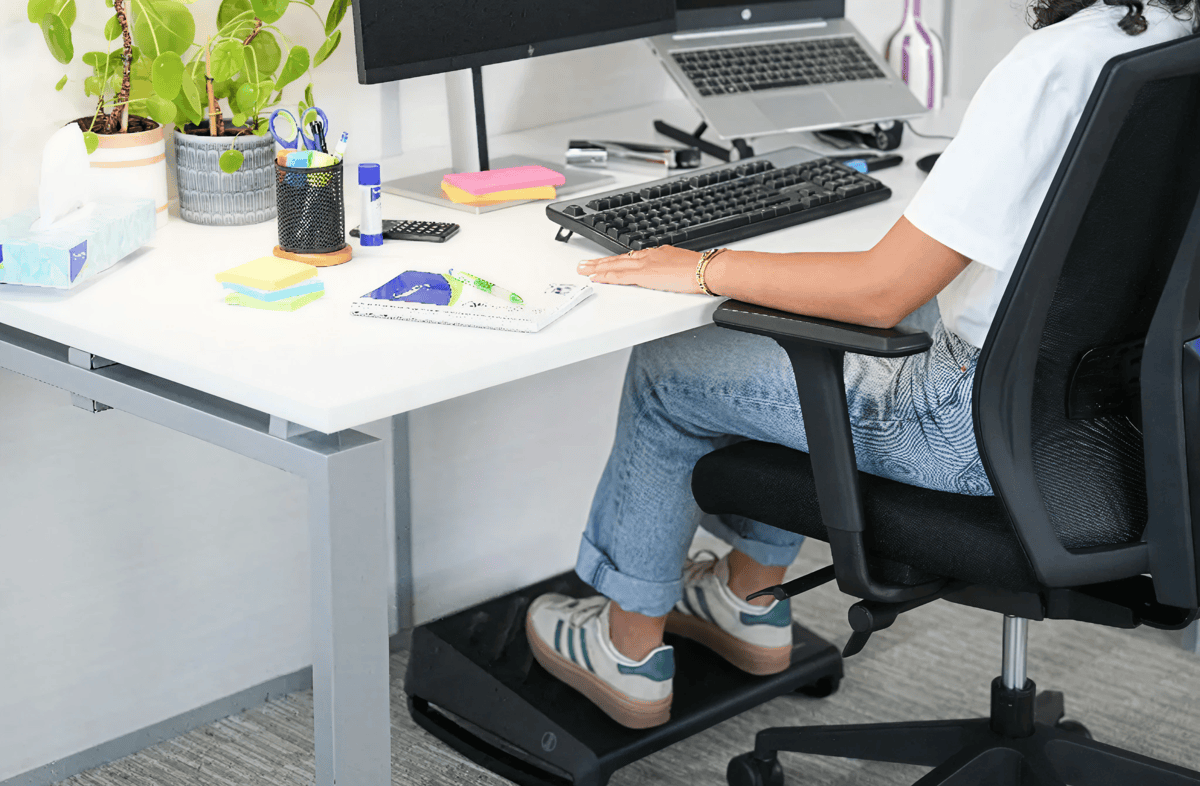
How to sit correctly
1. Set your pelvis
- Roll hips fully forward → fully backward → stop at the neutral midpoint.
- Ideal forward tilt: 20–30°, creating a hip angle of 120–135°, shown to reduce lumbar disc pressure (Journal of Physical Therapy Science, 2021).
2. Position your legs and feet
- Feet flat on the floor or on a footrest
- Knees and feet hip-width apart using the “toes out → heels in line” alignment method
3. Align your chest and shoulders
- Slight chest lift reduces thoracic flexion and improves spinal stacking.
- Reset shoulders with the recommended up → back → down sequence.
4. Correct your neck position
- Level gaze aligns the cervical spine.
- Gentle chin tuck until ears align over shoulders.
2. Adjust screen height and distance
Screen position determines head carriage, neck load, and shoulder tension throughout the day.

How to adjust your screen
1. Set screen height
- Position the top of your screen at eye level to keep your neck in a neutral position.
- If you use progressive or bifocal lenses, lower the monitor slightly (about 2–3 cm) so you can look through the correct part of the lens without tilting your head.
2. Set viewing distance
- Keep the screen roughly an arm’s length away (about 50–70 cm).
- Increase font size rather than leaning forward.
3. Tilt the screen correctly
- Tilt the screen 10–20° backwards to match the natural downward line of sight and reduce neck strain.
4. Position laptops properly
- Raise the laptop so the top of the screen is at eye level to avoid bending the neck forward.
- Use an external keyboard and mouse when working on a laptop for long periods.
3. Introduce regular movement
Even perfect posture becomes unhealthy when held too long. Movement supports circulation, reduces joint compression, and improves cognitive performance.

How to build healthy movement habits
1. Use the 20–8–2 method
- Sit for about 20 minutes, stand for 8, and take 2 minutes to move around before settling back in.
2. Apply the 20/20 rule
- Every 20 minutes, take 20 seconds away from the screen.
3. Reset your joints
- Shoulder rolls: 5–10 rotations per hour to reduce trapezius activation.
- Gentle spinal rotation reduces lumbar stiffness and increases hydration of discs.
4. Use sit-stand desks in cycles
- Rotate between sitting and standing every 30–45 minutes to keep your body active and engaged.
4. Maintain a clear, organised workspace
A well-organised workspace supports natural posture, reduces reaching, and improves efficiency.
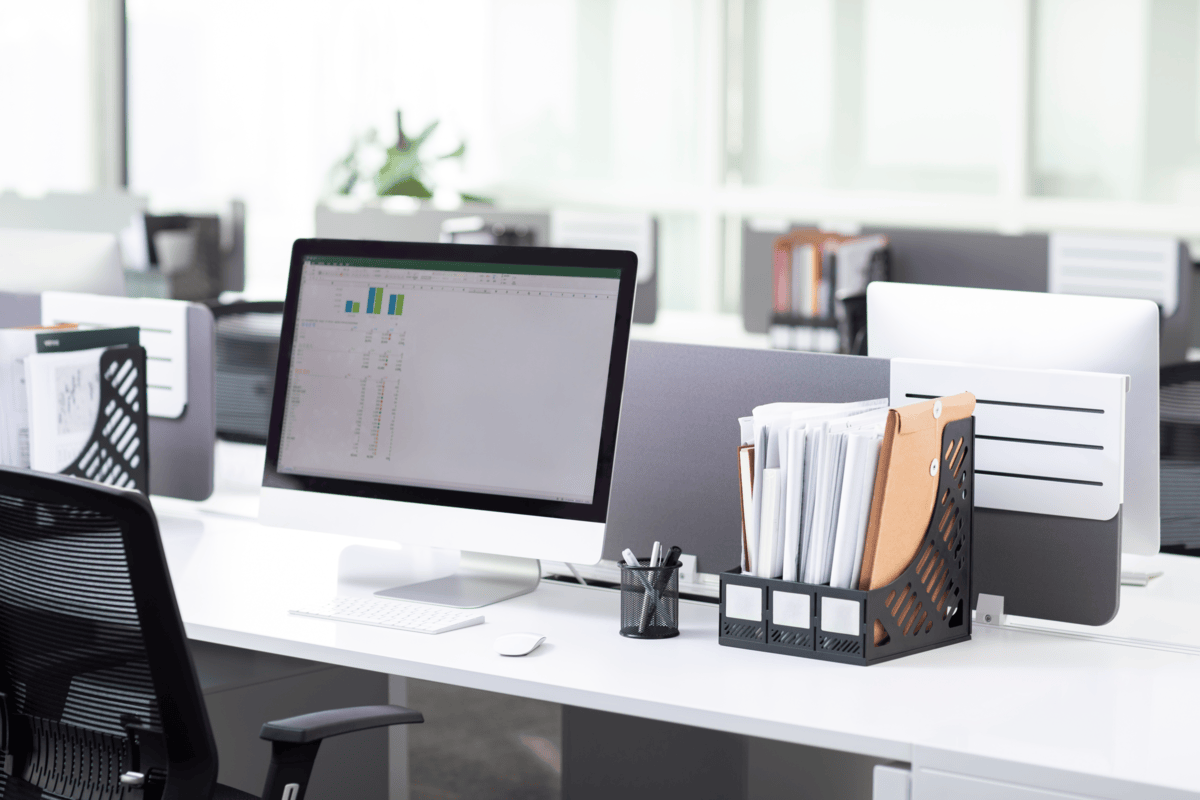
How to organise ergonomically
1. Keep essentials within easy reach
- Place frequently used items within 30–40 cm of where you sit so you don’t have to twist or reach repeatedly.
2. Create a clear secondary zone
- Store less-used items just beyond 40 cm, still close enough to reach without leaning forward.
3. Declutter your visual field
- Use document holders, trays, and simple cable management to keep the central workspace tidy and reduce extra head and neck movement.
4. Arrange items based on your dominant hand
- Keep the mouse about 5–10 cm from the keyboard on your dominant side to avoid shoulder strain.
- Place notebooks or reference materials on the non-dominant side to prevent repeated one-sided reaching.
Support better workdays with Lyreco
Creating a comfortable workspace starts with small improvements and the right equipment to support them. Lyreco’s comfort and wellbeing ranges bring together practical tools that help reduce strain, encourage healthier posture, and make daily work feel easier, whether teams are in the office, at home, or moving between both.
Lyreco’s comfort and wellbeing offering includes:
- Workspace organisation: Solutions that help keep desks clear, structured, and easy to navigate.
- Office furniture: Chairs, desks, and support elements designed to promote healthier posture and long-lasting comfort.
- Ergonomic accessories: Screen risers, laptop stands, wrist supports, and other tools that improve alignment and reduce physical tension.
- Hybrid-friendly comfort tools: Practical additions that help employees create healthier setups wherever they work.
References
- Physiomed. Sitting Guide: Correct Sitting Posture — Digital Edition. 2021.
- Fellowes Brands. New Insights Highlight Health Crisis Facing Employees Across Europe. 2024.
- Hedge, A. Cornell University Ergonomics Guidelines for Computer Workstations. Cornell University.
- Buckley, J.P. et al. The Sedentary Office: A Systematic Review on Sit-Stand Desks. Public Health England, 2015.
- World Health Organization. WHO Guidelines on Physical Activity and Sedentary Behaviour. 2020.